Open Reports in the plugin’s menu to see how your website is doing. 📊
Not connected to Google yet? A banner at the top says Connect Google to see your graphs. Click Open Site Kit and connect Google there.
The four numbers
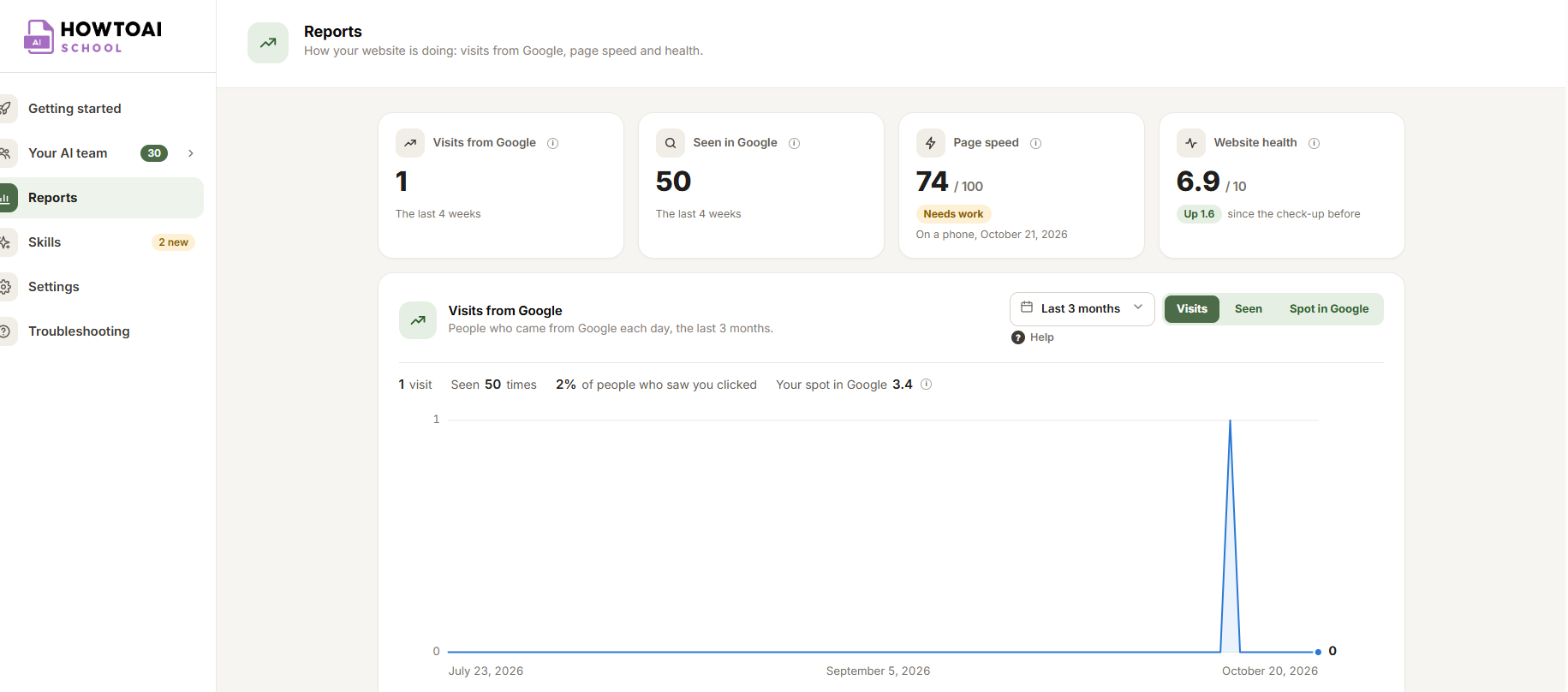
- Visits from Google: how many times people came to your website from Google in the last 4 weeks.
- Seen in Google: how many times your website showed up in Google searches.
- Page speed: your homepage’s speed on a phone, out of 100. 90 and up is good, 50 to 89 needs work, under 50 is slow.
- Website health: your score out of 10 from the last full check-up.
Visits from Google
A graph of people who came from Google each day. Switch between Visits, Seen and Spot in Google (how high your pages show). Google shares its numbers two or three days late.
Pick the dates in the dropdown at the top right: Yesterday, Last 3 days, Last 7 days, Previous week, This month, Last 4 weeks, Last 3 months (where it opens) or Custom dates. Google keeps 16 months of numbers, so custom dates can go back that far.
Traffic, speed and health
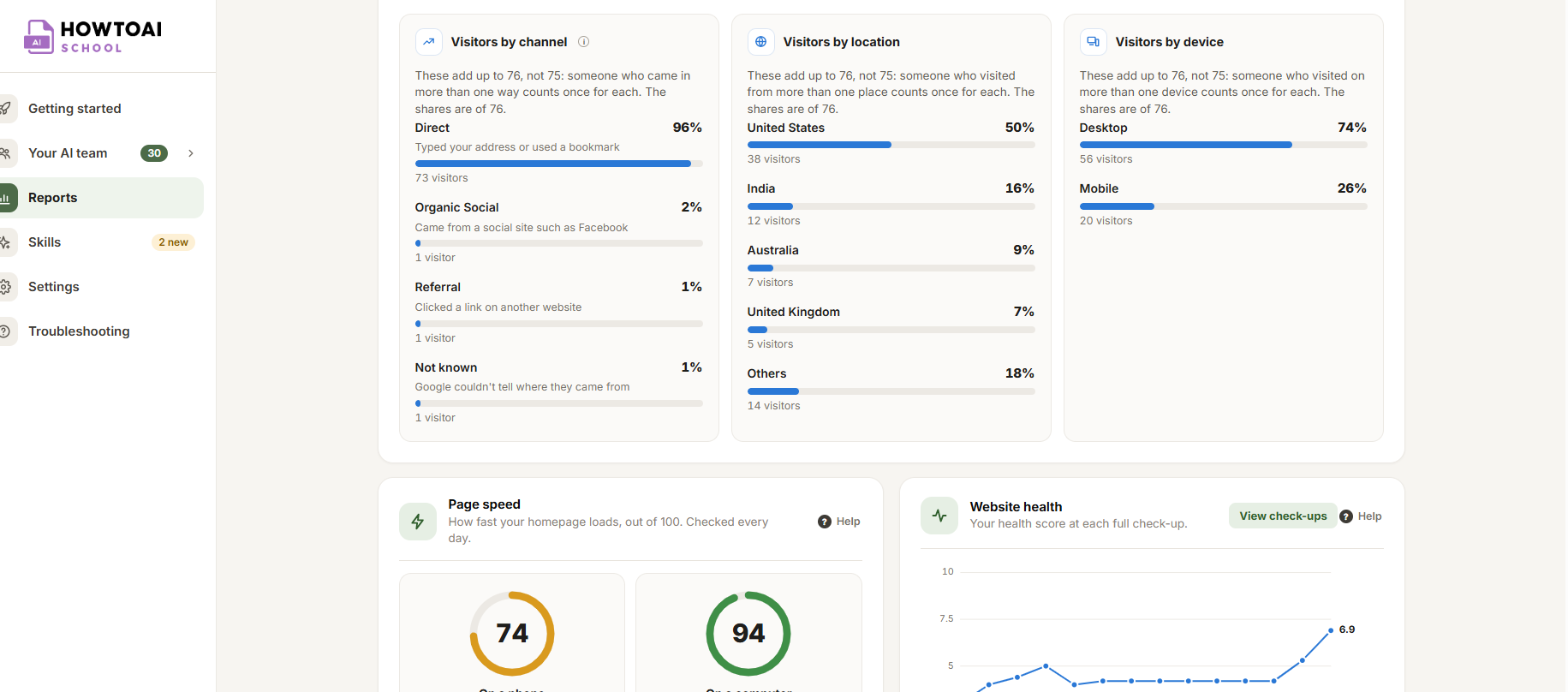
- Traffic breakdown: how visitors found you, where they are and which device they used, in the last 28 days. It needs Google Analytics connected in Site Kit too.
- Page speed: your homepage on a phone and on a computer, checked every day.
- Website health: your score at each full check-up. Click View check-ups to open them.
- Top searches and Most visited pages: the last 4 weeks, most visits first.
Latest from your team
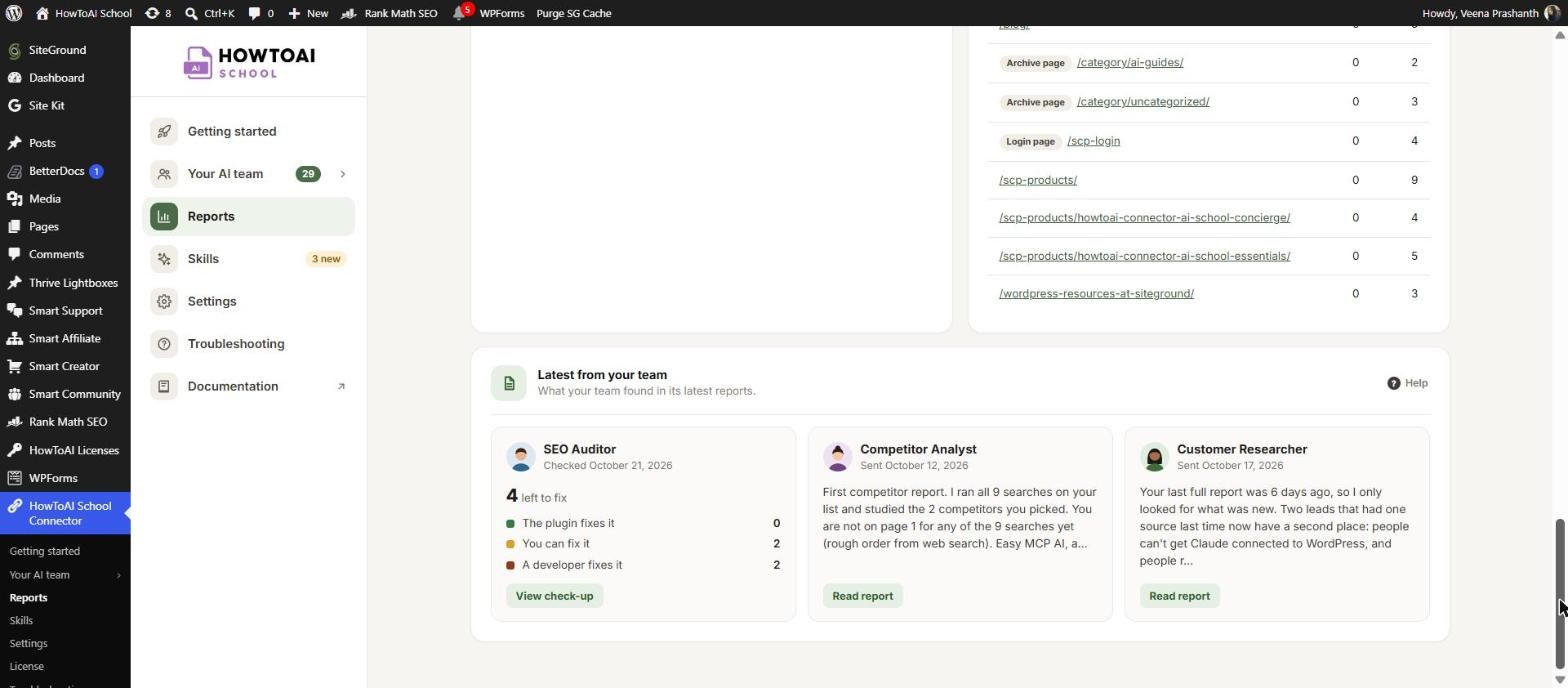
At the bottom, one box for each researcher on your team, with what its latest report found:
- SEO Auditor: how many problems are left to fix, split by who fixes them, and when the next full check-up is. Click View check-up.
- Competitor Analyst: what competitors charge a year for their top plan, as bars, or a summary of the report. Click Read report.
- Customer Researcher: a summary of its latest report. Click Read report.
- No report yet? Click See how to run it to open the employee’s page.
To read a competitor or customer report in full, see Read a competitor or customer report.
Good to know: Reports need Site Kit by Google connected to Search Console. See Connect your data.


