Your SEO Auditor checks your website in two ways, and gives it a health score out of 10. 7 or more is good. 💚
- Full check-up: once a month, it checks every page of your website.
- Quick check-up: between full check-ups, it looks for new problems. It only sends one when it finds something.
The list
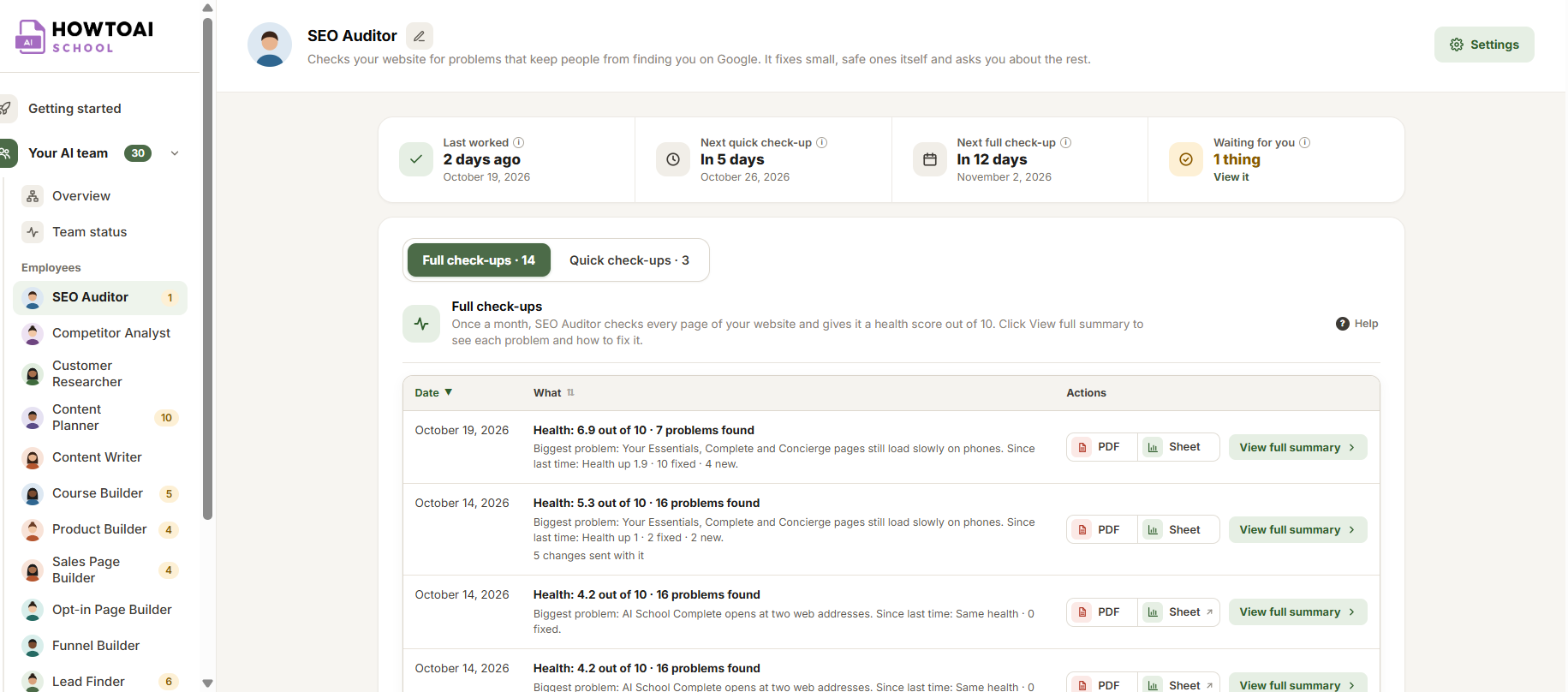
Open Your AI team → SEO Auditor. Two tabs split its work: Full check-ups and Quick check-ups, each with how many there are. The boxes at the top say when the Next quick check-up and Next full check-up are due.
Each row shows the date, the health score, how many problems it found, the biggest problem, and what changed since last time. PDF and Sheet open the report as a PDF or a spreadsheet. When no Google Sheet was saved, Sheet downloads the problems as a spreadsheet file.
Open a report
Click View full summary. The tabs across the top split the report into parts, each with how many things it found:
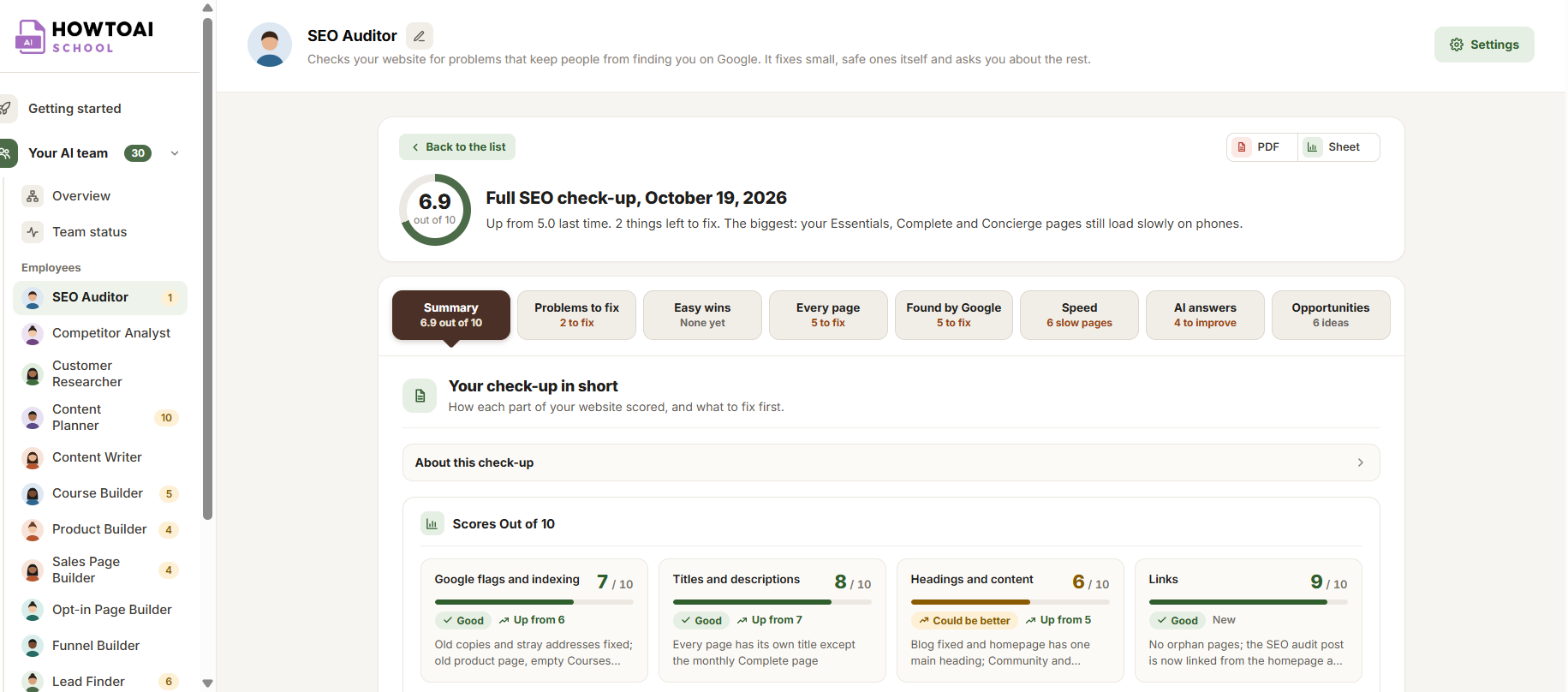
- Summary: your score, and how each part of your website scored.
- Problems to fix: the most important problems first, with how to fix each one.
- Easy wins: small changes that help quickly.
- Every page: each page and what’s wrong with it.
- Found by Google: which pages Google shows, and which it has left out.
- Speed: your slow pages, on a phone and on a computer.
- AI answers: how well AI tools like ChatGPT can answer questions from your pages.
- Opportunities: websites and searches worth going after.
Read the summary
- Website health: your score out of 10. The grey label beside it says Was and last time’s score, or First check-up.
- Biggest problem found: the one problem to fix first, and why it matters.
- Not checked this time: shows when the auditor couldn’t read something, like Search Console, so that part wasn’t checked.
- Since your last check-up: how many problems are Fixed, how many are Still to do, and how many are New.
When a score card’s text is cut short, click Read more to read all of it at the side of the screen.
Tip: Opened an older check-up? A note at the top says so. Click Show the latest to go back to the newest one.
To work through the problems, see Fix the problems your SEO Auditor finds.


