Your Content Writer usually drafts the post ideas you approve on its next scheduled run. Write on demand lets you start it right away: click Approve and write on a post idea and the draft is ready to review in about 10 to 20 minutes. ⚡
Good to know: Write on demand works with Claude only. It uses a routine in Claude, and ChatGPT has nothing like it yet. Without it, your Content Writer still drafts approved ideas on its next run.
What you need first
- An active license. See Activate your license.
- HowToAI School Connector connected to Claude. See Connect Claude.
- The Content Writer skill added to Claude. See Add your skills plugin.
- An administrator account in WordPress. Only administrators can set it up. Once it is on, everyone who reviews your team’s work can use it.
Set it up
Open Your AI team, click Content Writer, then click Write on demand at the top right. The Write on demand card shows Off and four steps:
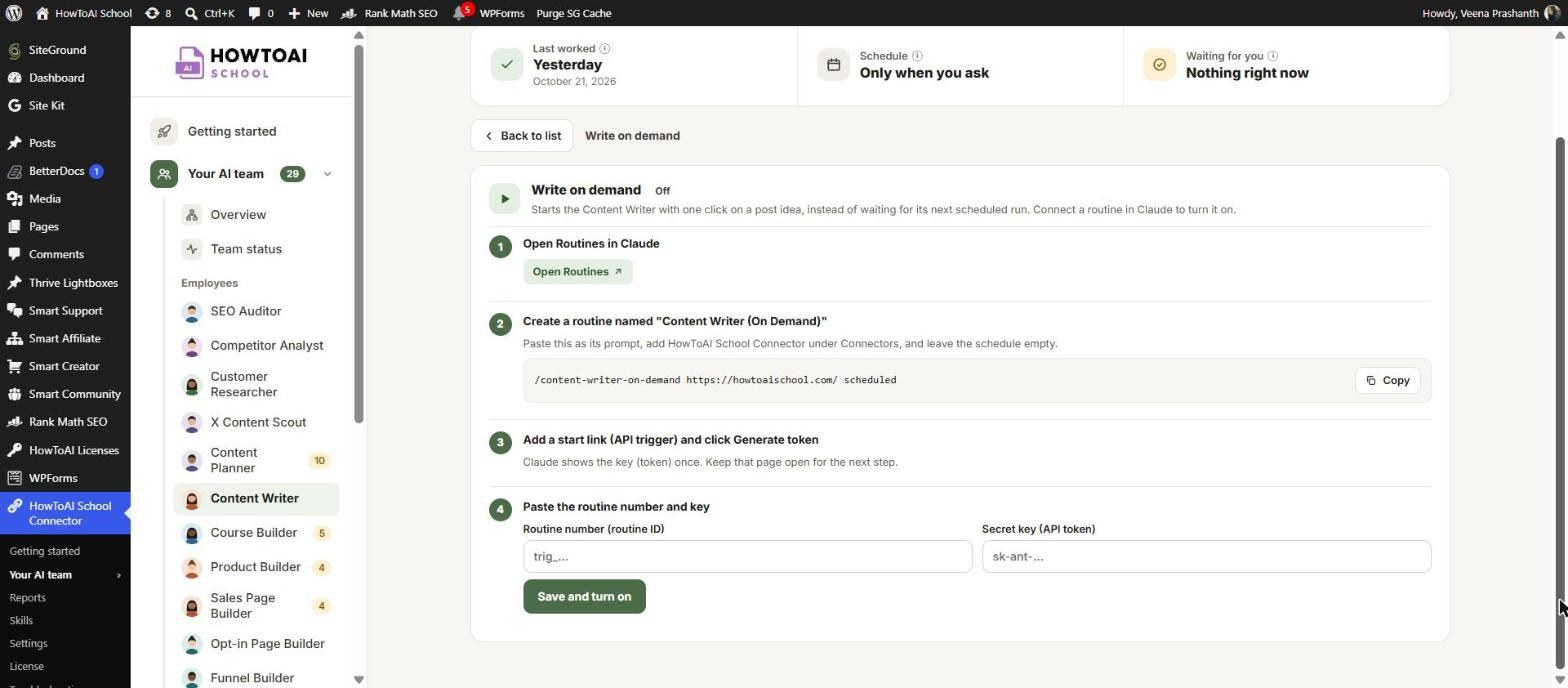
- Open Routines in Claude. Click Open Routines. It opens Routines in Claude in a new tab.
- Create a routine named “Content Writer (On Demand)”. Click Copy beside the prompt shown on the screen and paste it as the routine’s prompt. Add HowToAI School Connector under Connectors, and leave the schedule empty.
- Add a start link (API trigger) and click Generate token. Claude shows the key (token) only once, so keep that page open.
- Paste the routine number and key. Copy the routine number (it starts with trig_) into Routine number, and the key into Secret key. Click Save and turn on.
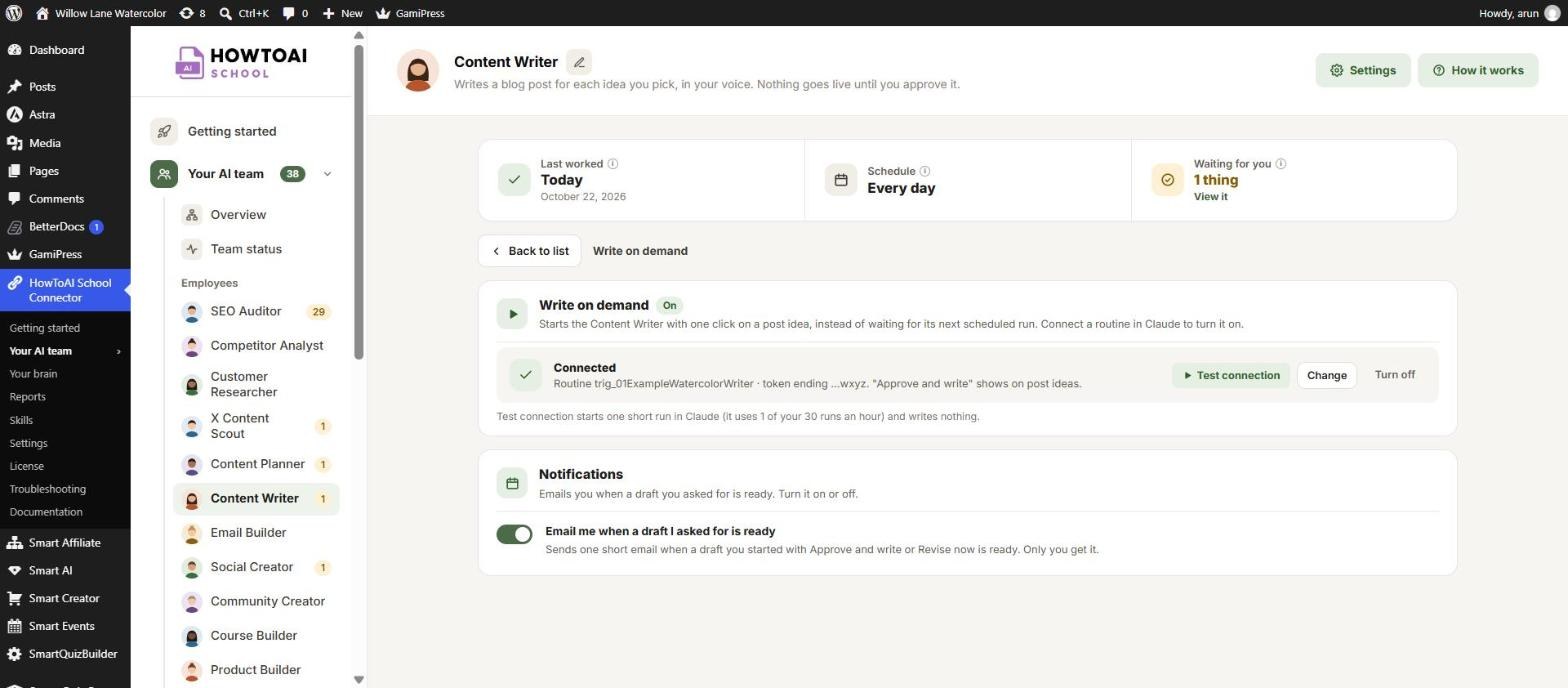
The card now shows On and Connected, with your routine number and the last four characters of the key. The full key is never shown again.
Check that it works
Click Test connection. It starts one short run in Claude that writes nothing, and uses 1 of your 30 routine runs an hour. When it works, you see “It works: Claude started a test run” with Open session to watch it in Claude.
Use it
Once it is on, new buttons show on your Content Writer’s work:
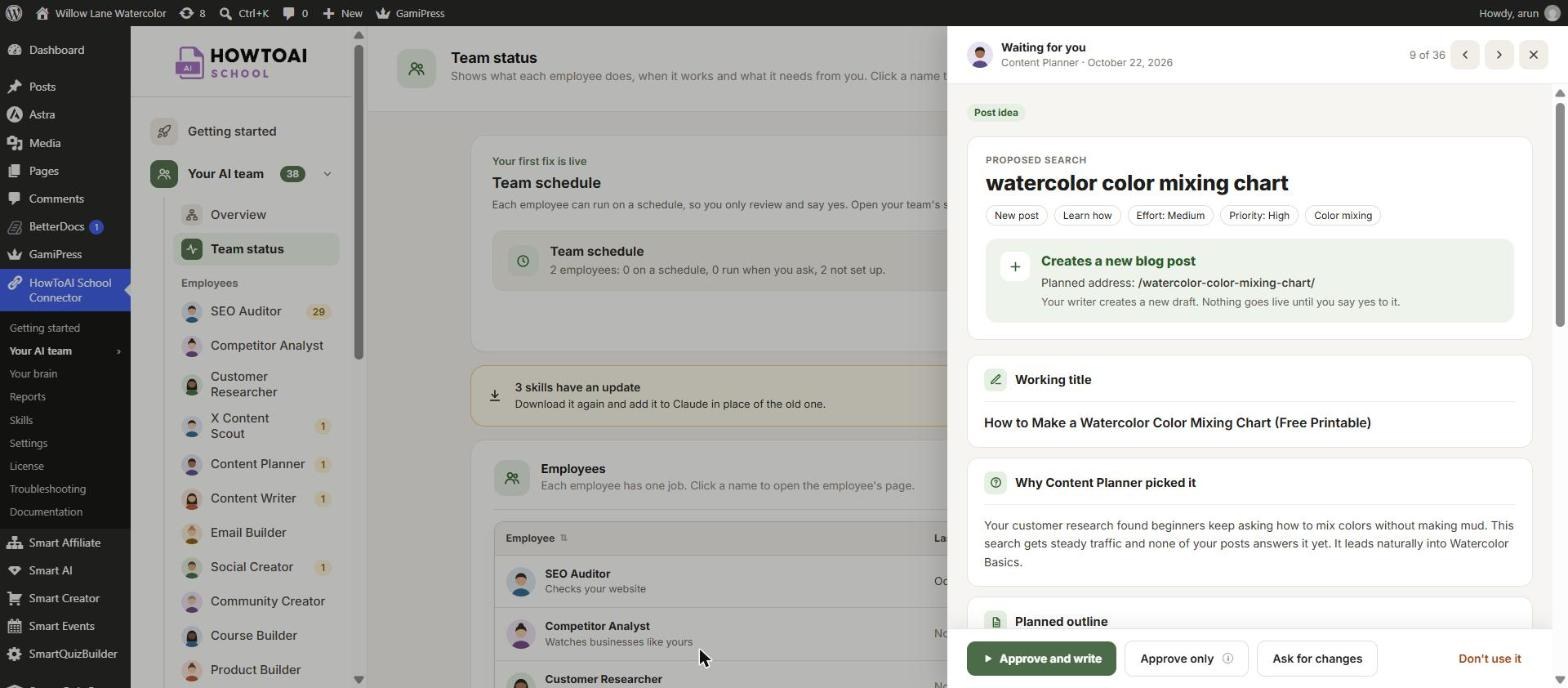
- Approve and write on a post idea that waits for you approves it and starts the writer now.
- Approve only approves the idea without starting the writer. Your writer picks it up on its next scheduled run instead.
- Write it now on an idea you already approved starts the writer for that one. It also shows in the “ideas you approved are still waiting” alert on Team status.
- Revise now on a draft you sent back with a note starts the rewrite now, instead of on the writer’s next run.
While it writes
- Writing… means the writer is on it. The draft shows up on your Content Writer’s page in about 10 to 20 minutes. Click Watch it write to follow along in Claude.
- Didn’t start means the writer didn’t pick it up within 15 minutes, and nothing was written. Click Retry.
- Taking longer than usual shows after an hour. Long pages can take a while, and you can still watch it in Claude.
The screen checks by itself every minute, so you don’t need to reload it. When the draft is ready, review it like any other draft. Nothing is published until you approve it. See Review and approve.
Get an email when the draft is ready
Under the Write on demand card, the Notifications card has the switch Email me when a draft I asked for is ready. It is on to start with, and only you get the email. Each person who reviews sets their own. See Emails and notices from the plugin.
Change it or turn it off
- Change lets you paste a new routine number or key. Leave the key empty to keep the saved one.
- Turn off removes the key and hides the write on demand buttons. Your Content Writer goes back to drafting approved ideas on its next run.
Tip: Keep your scheduled Content Writer too. Write on demand is for the ideas you want today; the schedule picks up everything else.
Good to know: Write on demand only starts the writer sooner. It never publishes anything: every draft still waits for you to approve it.


