Your license key turns on your AI team. Until it is active, Claude and ChatGPT can’t use your website at all, not even to read it, and no new connection can be approved. 🔑
What needs a license
- Every tool your employees use: reading your pages, writing drafts, fixes, reports and approvals.
- Connecting Claude or ChatGPT: without a license, the Approve screen says your license has expired or isn’t active, and only offers Cancel.
- Plugin updates on your WordPress Plugins screen.
- New templates from HowToAI School.
Only a few small tools keep working without one, so your team can still save what it learned about your business and record its runs.
Add your key
- Copy your license key from your account on howtoaischool.com.
- In WordPress, open HowToAI School Connector. Until a license is active, every screen of the plugin opens License (apart from Troubleshooting).
- In the License key card, paste the key into the Key box and click Activate.
- The pill changes from Not active to Active. Open Getting started to carry on with setup.
If the key isn’t accepted, the card shows the reason under the pill, for example that the key is already used on another website. Fix that in your account on howtoaischool.com, then click Activate again.
Signs that your license isn’t active
- A notice on your Dashboard, the Plugins screen and every plugin screen: “HowToAI School Connector: Add your license key to turn on your AI team.”, with an Add license key button.
- A bar at the top of the plugin: “Your license isn’t active, so your AI team’s tools are off.”
- A skill in Claude or ChatGPT answers that your license isn’t active.
Add or fix your key on the License screen, then run the skill again. There is nothing to change in Claude or ChatGPT.
Once it is active
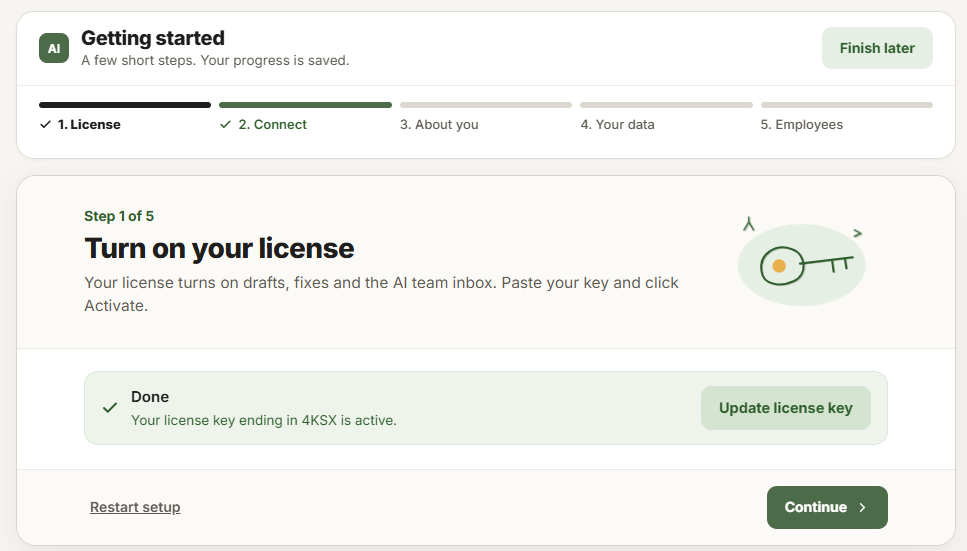
Getting started step 1 says Your license key ending in XXXX is active. and has an Update license key button if you need to change it.
Change or remove your key
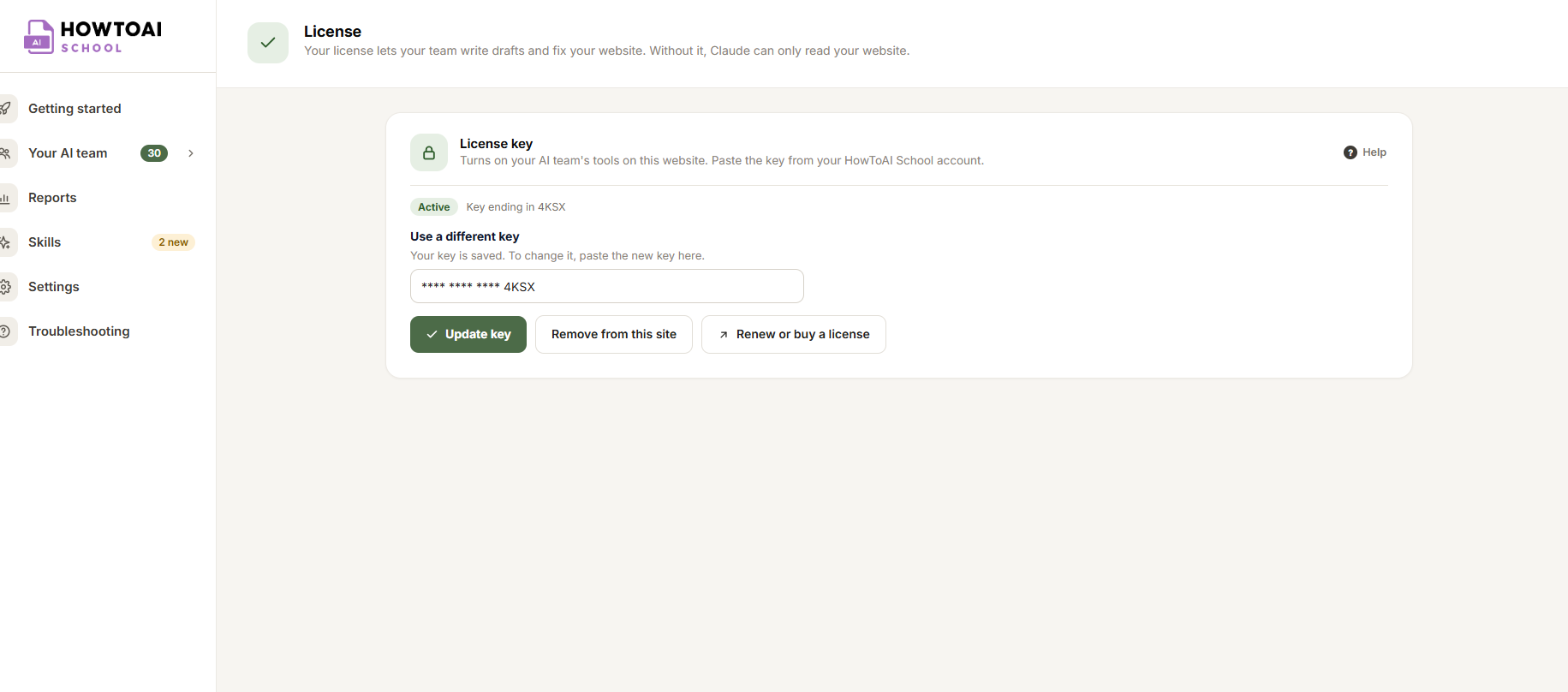
Open License in the plugin’s menu. It shows whether your key is active and the last four characters of it, for example Key ending in 1A2B. The box shows the saved key as stars.
- Update key: click into the Use a different key box, paste the new key and click Update key. If the new key fails, nothing changes: your current key still works.
- Remove from this site: click it, then Yes, remove it from this site. This turns off drafts, fixes and approvals on this website until a key is activated again, and frees the key so you can use it on another website.
- Renew or buy a license: opens your account on howtoaischool.com.
Good to know: Your website checks your license with HowToAI School twice a day. If it can’t reach the license server for a while, your license keeps working for up to 24 hours after its last good check. Only administrators can change the license.


