Open Settings → Images and emojis. You choose once, and every builder uses it. 🎨
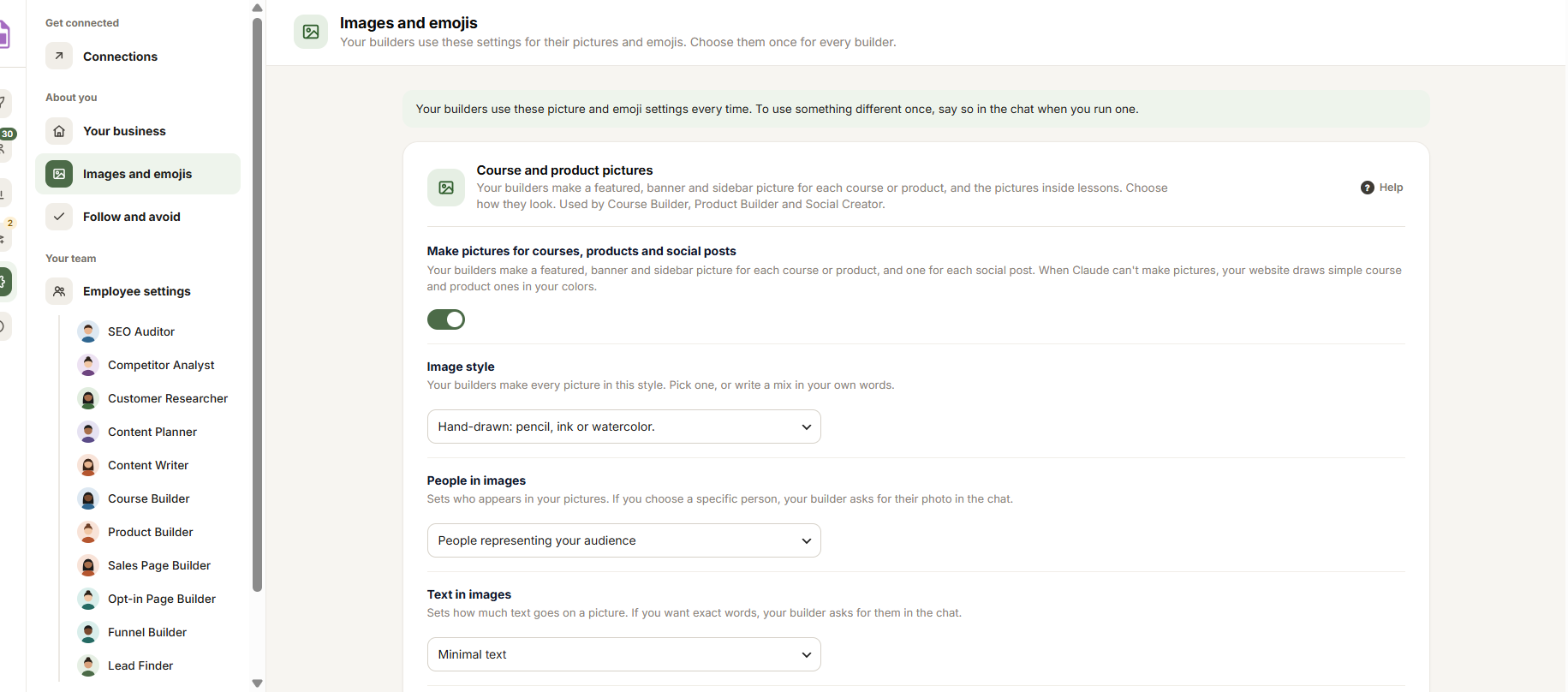
Course and product pictures
- Make pictures for courses, products, blog posts and social posts: turn it on and your builders make a featured, banner and sidebar picture for each course or product, a featured picture for each blog post, and one for each social post. When Claude can’t make pictures, your website draws simple course and product pictures in your brand colors.
- Image style: Editorial photography, Cinematic photography, Premium product visualization, Conceptual advertising, Lifestyle + digital product, Detailed illustration, Hand-drawn, or Recommend for me. Or write a mix in your own words.
- People in images: No people, People representing your audience, or A specific person, from a reference photo. If you pick a specific person, your builder asks for their photo in the chat.
- Text in images: Minimal text, No text, Exact wording included, or Space to add text later. If you want exact words, your builder asks for them in the chat.
- Pictures inside lessons: for the Course Builder. A mix (stick figures where a picture explains an idea, cards your website draws everywhere else), Stick figures, or Cards your website draws.
- Pictures inside blog posts: for the Content Writer. A mix (a stick figure picture that shows the idea, cards built into the post everywhere else), Stick figures, or Cards built into the post.
Emojis of people
Emoji to use: Woman, Man or No gender. Your team uses this emoji when a lesson, email or page shows a person, like a teacher or someone at a laptop.
Click Save changes in the bar at the bottom. The next run uses your choice.
Tip: To use something different just once, say so in the chat when you run a builder.


