Open Settings → Built by your team. Your team reads the prices and links of your courses, products and sales pages here whenever it writes about them, so they always say the right thing. 🛍️
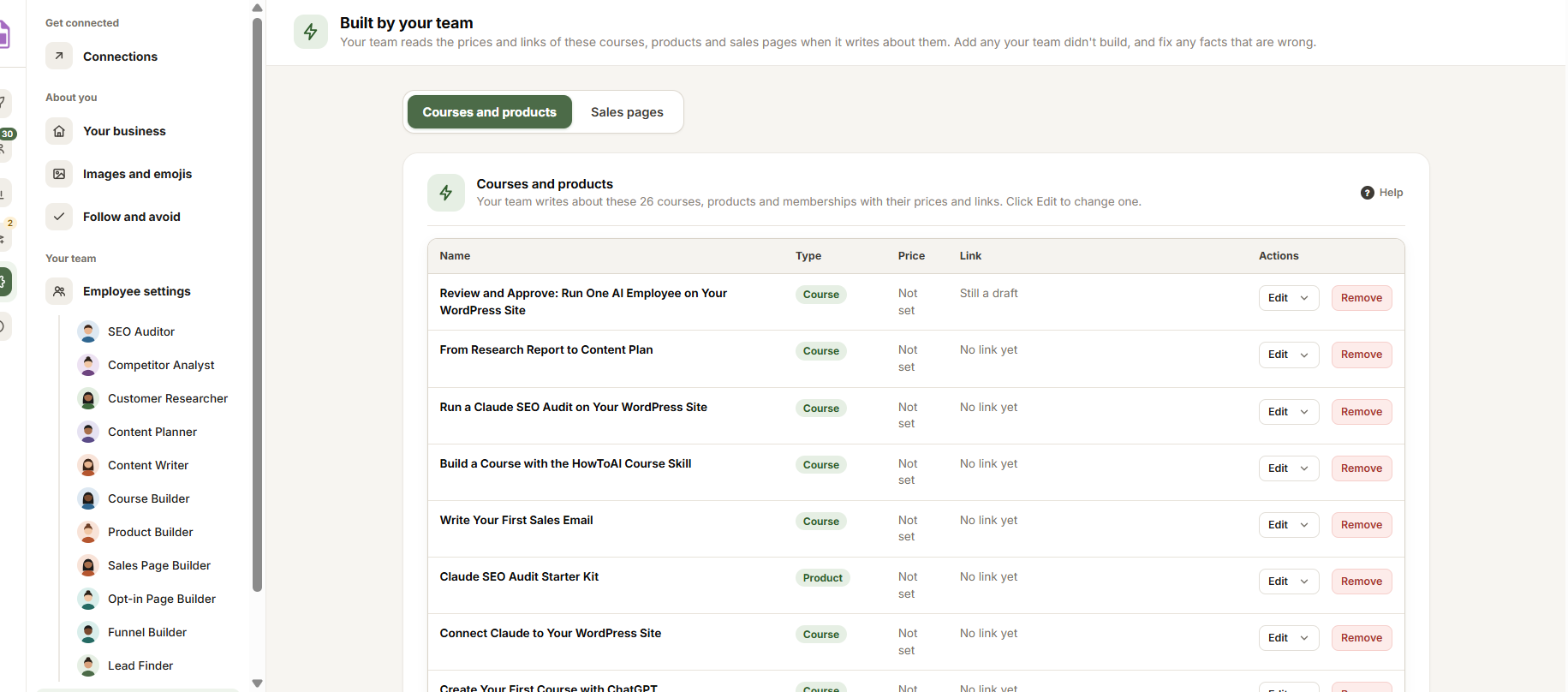
Two round tabs at the top switch between Courses and products and Sales pages.
Courses and products
Each course, product or membership with its type, price and link. Your builders add each one they build. Click Add a course, product or membership to add one your team didn’t make, or Edit to change one. Each one has:
- Name and Type.
- Link: the course or product itself, so your team can read what’s in it. Still a draft means it has no link yet: the link appears by itself when you publish it.
- Price: in words, like “$27, one payment” or “Free”.
- Checkout page: the page where buyers pay.
- Where to learn more: pages your team should read for details the course or product page leaves out, like a guide or an FAQ.
Click Close when you’re done with one, or Remove to take it off the list.
Sales pages
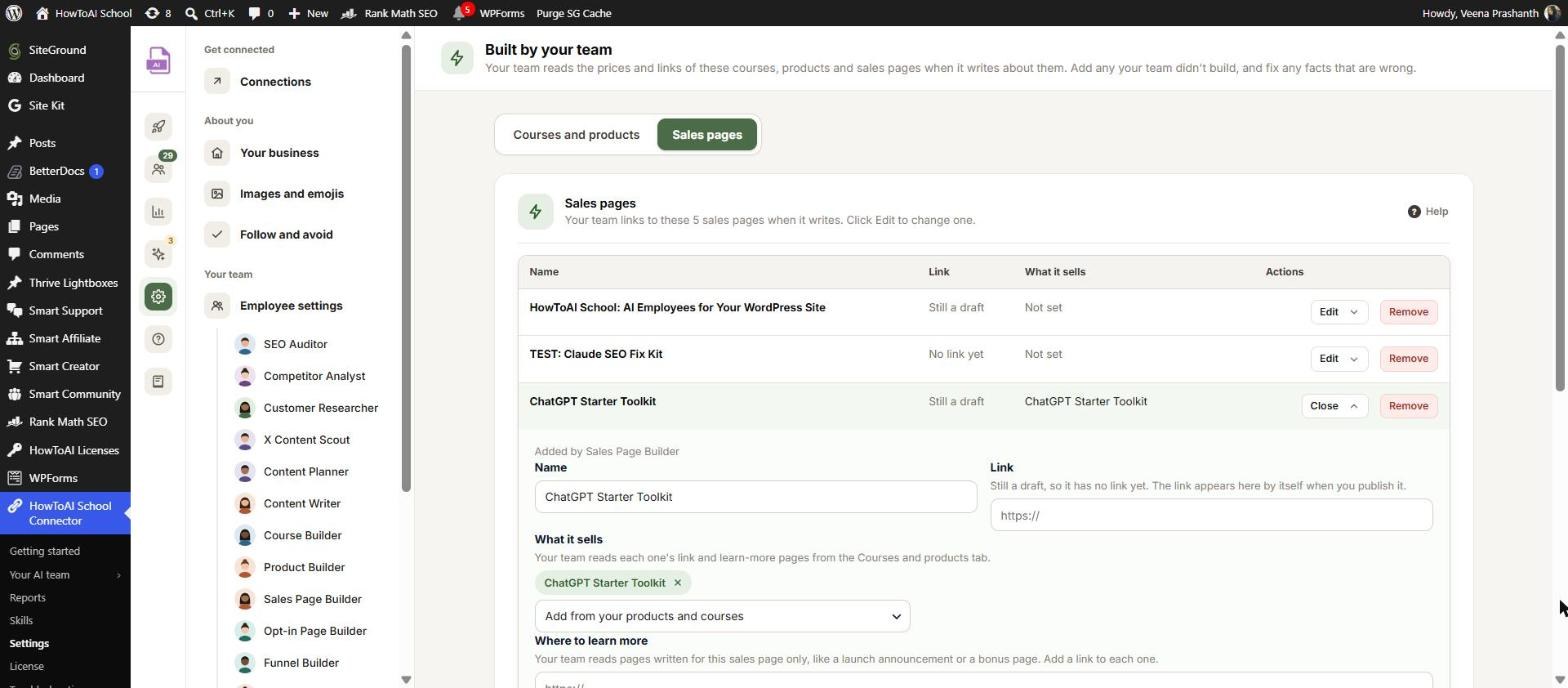
Every sales page with what it sells. The Sales Page Builder adds each one it builds, and emails, posts and upsell pages link to the right one. Click Add a sales page if you already have one.
- What it sells: pick the course or product from your Courses and products tab. If that tab is empty, add what you sell there first.
- Where to learn more: pages written for this sales page only, like a launch announcement or a bonus page.
- Facts: the price, refund terms, bonuses or deadlines, exactly as your team should say them.
Click Save changes in the bar at the bottom when you’re done.


