The plugin has a Troubleshooting screen with these fixes too, each with a button to the screen that fixes it. It opens even before your license is active.
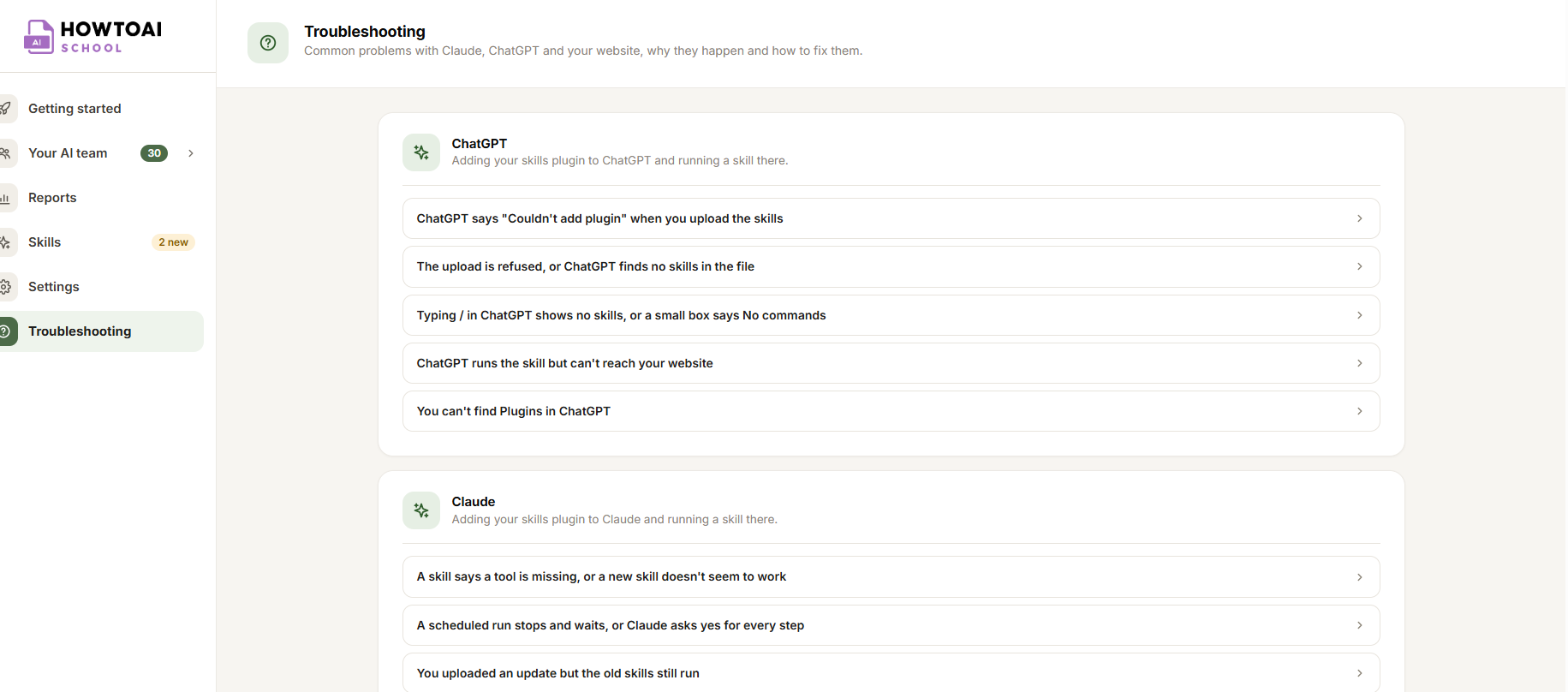
ChatGPT says “Couldn’t add plugin” when you upload the skills
Why it happens. ChatGPT already has HowToAI School from an earlier upload. Add only works the first time, and uninstalling doesn’t free the name: the plugin stays under Personal.
- In ChatGPT, click Plugins in the menu on the left, then Personal.
- Open HowToAI School, click the three dots and choose Upload new version.
- Pick the file you downloaded from Skills. The plugin’s page shows the new version number afterwards.
The upload is refused, or ChatGPT finds no skills in the file
Why it happens. The file was unzipped before it was uploaded. Some computers do this by themselves after a download.
- Download the plugin again from Skills.
- Upload the file that ends in
.zipas it is. Don’t open or unzip it first. - On a Mac with Safari, turn off Open “safe” files after downloading in Safari’s settings, or download it with another browser.
Typing / in ChatGPT shows no skills, or a small box says No commands
Why it happens. ChatGPT on the web doesn’t list a plugin’s skills when you type /. The box only means it found no command yet.
- Type the skill’s own command, such as
/howtoaischool-seo-audit, and press Enter twice. The first Enter only closes the No commands box. - Each skill’s command is listed on the Skills screen.
ChatGPT runs the skill but can’t reach your website
Why it happens. The skills plugin and the connection to your website are two separate things in ChatGPT. The skills need the connection to read and save anything on your site.
- Copy your connection link from Settings → Connections.
- In ChatGPT, click Plugins, then Add and Add custom MCP server.
- Type your website name, paste the link under Connection, leave Authentication on OAuth and create it.
- Click Approve on the WordPress screen that opens.
ChatGPT is connected, but connecting never finishes or every request fails
Why it happens. Your host, a firewall or a security plugin may block ChatGPT’s servers before WordPress sees them, or remove its sign-in.
- Run Test the connection from Getting started step 2 (Retest the connection).
- When it asks you to reconnect, connect your website’s app in ChatGPT again and approve it.
- Follow what the result says. It gives you a message to send your host if they block it.
You can’t find Plugins in ChatGPT
Why it happens. Custom plugins and connectors need a paid ChatGPT plan: Plus, Pro, Business, Enterprise or Education, on ChatGPT on the web.
- Open ChatGPT in your browser at
chatgpt.comrather than the phone app. - Check your plan in ChatGPT’s settings. On a Business or Enterprise plan, your workspace admin may need to allow custom plugins.
Good to know: ChatGPT asks its questions as lettered options (A, B, C) instead of buttons. Type the letter or your own answer. More on working in ChatGPT: Use your team in ChatGPT.


